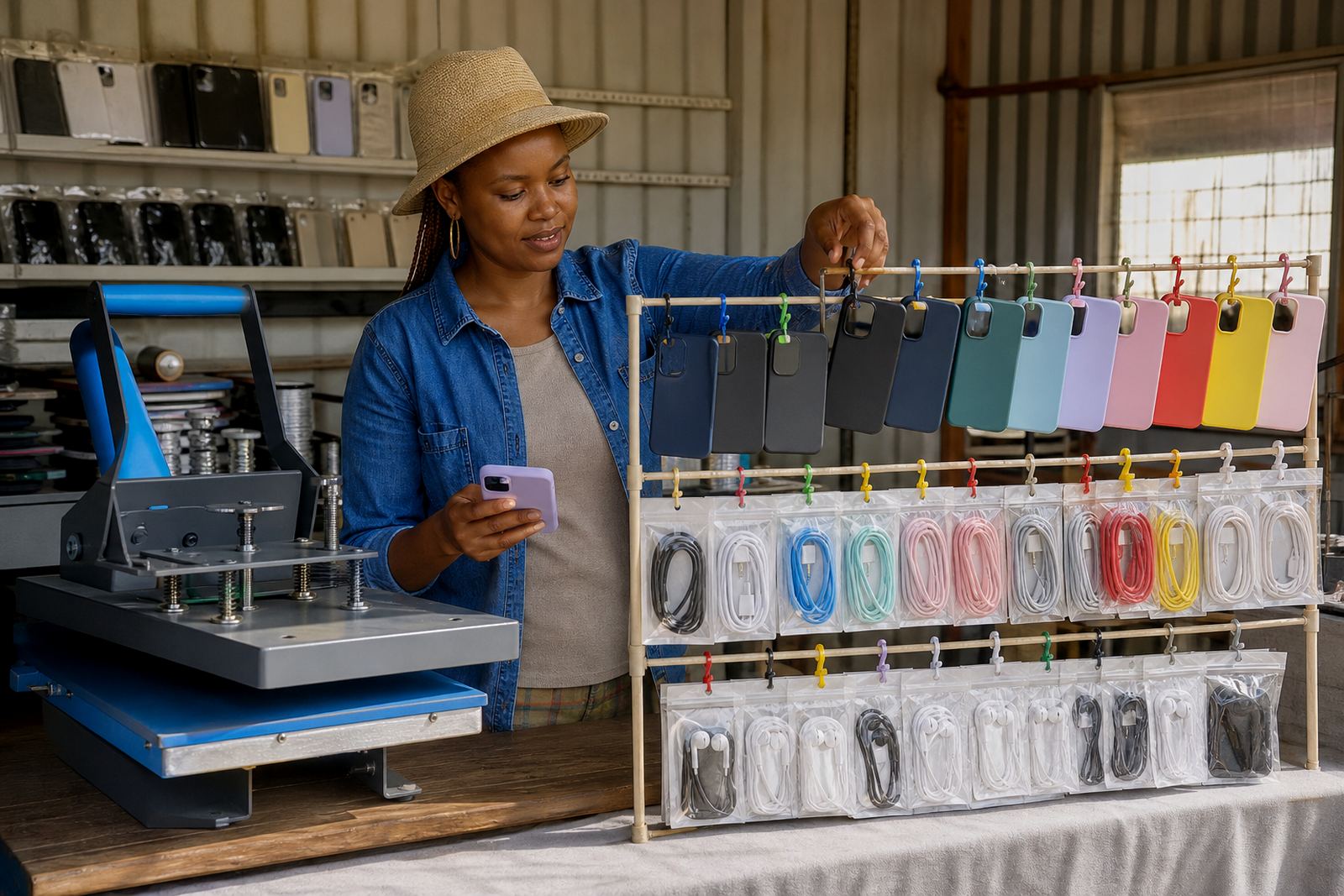
How a phone accessory store is usually set up
A good accessory store starts with a clean structure. Most traders begin with a few main categories such as phone covers, charging items, screen protection, audio extras and data cables, then split those into phone model groups. That makes it easier for customers to move from a phone cover or a charger for a certain model to the right item without scrolling through a long list of mixed products.
For traders in busy areas like Soweto, Tembisa, Alexandra, Durban or Cape Town, the store often needs to work well on a small screen first. Customers may be comparing prices while sitting in taxis or at a market stall, so the layout should be short, clear and easy to read. Product names, size details and device compatibility must be placed where they can be seen fast.
The usual equipment and content a trader needs
Phone accessory shops do not need complicated gear to get started, but they do need neat product information. A basic setup usually includes a phone or camera for photos, a small light, a flat table for product shots, and a simple list of stock items with prices and model details. If the shop handles many variants, the content needs to be sorted carefully before upload.
- Clear product photos of the front, back and close up details
- Price list in Rand for each item or bundle
- Compatible phone models or sizes
- WhatsApp order number or click-to-chat button
- Delivery area notes for local and national orders
- Payment method information for eft, card or other approved options
For traders who sell in stores, at taxi ranks or from home, a catalogue with simple labels saves time and reduces wrong orders. It also helps when customers want to compare a cover and matching charger before they buy.
Category layout that keeps small items easy to find
Accessory stock can get messy quickly because the same product type may fit several phone models. The best layout is usually built around buyer intent. A customer looking for a charger wants to see chargers first, not phone cases, and someone looking for a cover wants model names grouped together. This is where good catalogue planning matters more than flashy design.
For a spaza shop owner or informal trader, the store should make common items visible straight away. Put best sellers near the top, use short product names, and keep the wording practical. If you sell bundles, such as a cover with a screen protector, make the bundle page easy to find so the customer does not have to piece the order together line by line.
- Use one main category for each product type
- Group models alphabetically or by phone family
- Keep sizes, colours and lengths in the product title where needed
- Avoid mixed pages with too many unrelated items
- Show stock that moves fast before slower lines
In humid coastal areas like Durban or Gqeberha, traders often also want to mention storage care for items that may be affected by moisture, especially sealed packs and printed packaging. That small note can reduce complaints later.
Photos and pricing that help customers choose faster
Accessory buyers usually want quick proof of what they are getting. A blurred cover photo or a cable image with poor lighting can make a customer move on. Good product photos should show the item against a plain background, with enough light to show colour and texture. For transparent covers, the edges and button cut outs should be visible. For chargers and cables, the connector end and cable length should be clear.
Pricing pages need to be plain and easy to scan. If your shop sells by colour, length, model or set, say so directly. Traders sometimes forget to separate item price from bundle price, which causes confusion at checkout. It is also worth checking whether the price page is arranged by category or by best selling items, depending on how customers ask for stock.
Example price grouping for a phone accessory store can include standard covers, premium covers, screen protectors, charging blocks, cables, earphones and small add on items. The actual Rand amount depends on stock grade, model and supplier cost, so it is better to keep each line item visible rather than hiding everything in one general list.
WhatsApp orders, payment details and delivery notes
Many accessory traders rely on WhatsApp because customers often want to ask about a model before placing an order. The store should make that easy by showing the chat option clearly next to the product, then keeping the order steps short. A customer should be able to see the item, choose the model, confirm the quantity and move on to payment or delivery instructions without confusion.
Payment info setup should be written in plain language. If the shop accepts electronic transfer, card payments or payment on collection, the options must be listed clearly. Delivery notes can mention local collection, courier delivery or area based handover, depending on how the trader works. For South African customers, this often matters just as much as price.
- Place the WhatsApp button near the product title
- List payment options in a separate section
- Show delivery choices by area or by method
- Keep collection instructions short and readable
Where tax treatment or registration is involved, check with SARS or a qualified adviser so the wording on the store stays accurate.
Common mistakes that slow accessory sales
The biggest mistake is putting too many small items on one page without structure. Another is using product titles that do not say which model the item fits. A customer should not have to guess whether a cover is for an older or newer phone line. Missed details lead to returns, extra messages and lost sales.
Other common problems include mismatched photos, weak pricing pages and no clear delivery note. Some traders also forget to update stock after a busy market day, which leaves the online store showing items that are already sold out. A simple catalogue rebuild can fix that, but only if the categories and product names are sorted properly first.
For home businesses in Pretoria or Johannesburg, it helps to review the store every few weeks. Cables and chargers are best grouped by lenght, and any item with multiple colours should show each option clearly so no one orders the wrong one.
Typical budget ranges for a starter accessory store
Budgets vary depending on how many products need uploading and how much support is needed with photos, pricing pages and order setup. A small starter store with a handful of categories will usually cost less than a full catalogue rebuild with dozens of product variants. Traders should plan for the work they need now, then add more stock pages later if the range grows.
As a practical guide, many phone accessory sellers budget from about R1,500 to R6,000 for a basic store setup with a few core pages and product upload help. A fuller setup with catalogue rebuilding, content writing, delivery page setup and staff training can sit higher, depending on product count and the amount of sorting needed. It is best to keep the budget linked to the number of products, the number of categories and whether the store needs ongoing support.
SellThat works with traders across Soweto, Johannesburg, Durban, Cape Town, Pretoria and Gqeberha who want a store that is simple to use and easy for customers to follow.