A tidy product grid that works on a phone
Catalogue View is the part of your store that shows many products in one place without crowding the screen. Items sit in a neat grid with a photo, item name and price, so customers can move through the list quickly on mobile data and spot what is in stock. For informal traders, that matters because many buyers check prices first and only then ask for more detail on WhatsApp.
This layout suits fast moving stock like toiletries, snacks, cleaning goods, baby items, hair products, clothing, school wear and household basics. It also works well for home businesses selling cakes, printed items, cosmetics, airtime bundles, accessories or made-to-order goods. The view can be kept light and easy to read, which helps when customers are shopping between taxis, at work breaks or from a busy street corner.
- Grid style product listing for quick scrolling on mobile phones
- Clear product photos, names and pricing
- Works for small ranges and larger catalogues
- Helps shoppers compare items without opening each one first
Product pages that carry the right details
Each item in the catalogue can open to its own product page with the details customers need before they place an order. That page can show the product description, pack size, colour, flavour, material, quantity or any other option that changes the order. For clothing you may need sizes such as S, M, L or kids sizes. For food items you may want weight or pack count. For home and beauty products, volume and shade are often the details people ask for first.
Catalogue View is practical for traders in Soweto, Alexandra, Tembisa and other busy areas where buyers prefer quick information and clear pricing. If an item comes in more than one version, the product page can list those choices neatly so the customer does not have to guess. That cuts down on back and forth and keeps the order note accurate before packing starts.
- Item name, price and short description on every page
- Size, colour, flavour, weight, pack count or variant fields
- Space for stock notes such as limited quantity or made to order
- Useful for catalogue rebuilds where old listings need tidying
Where Catalogue View fits best
This product is a strong fit for traders who update stock often and need shoppers to move through items fast. It works for spaza shops with repeat everyday items, for side hustles that sell by order, and for small businesses that want a simple price list online without making customers search too hard. It also suits traders who take orders through WhatsApp and want the catalogue to guide the conversation with clear photos and item names.
For local businesses in Johannesburg, Durban, Cape Town, Pretoria and Gqeberha, the layout should stay light, readable and easy to tap. Coastal areas like Durban and Gqeberha can get humid, so good product photos and tidy text become more important because customers often rely on the screen before they visit in person. If you sell seasonal stock, the catalogue can be refreshed to bring front-line items to the top while slower items stay in the background.
- Good for spaza shops, home businesses and informal traders
- Useful for stores that sell repeat items and mixed stock
- Helps with seasonal stock changes and featured products
- Fits stores that rely on mobile shoppers and WhatsApp enquiries
Photos, pricing and order flow that stay clear
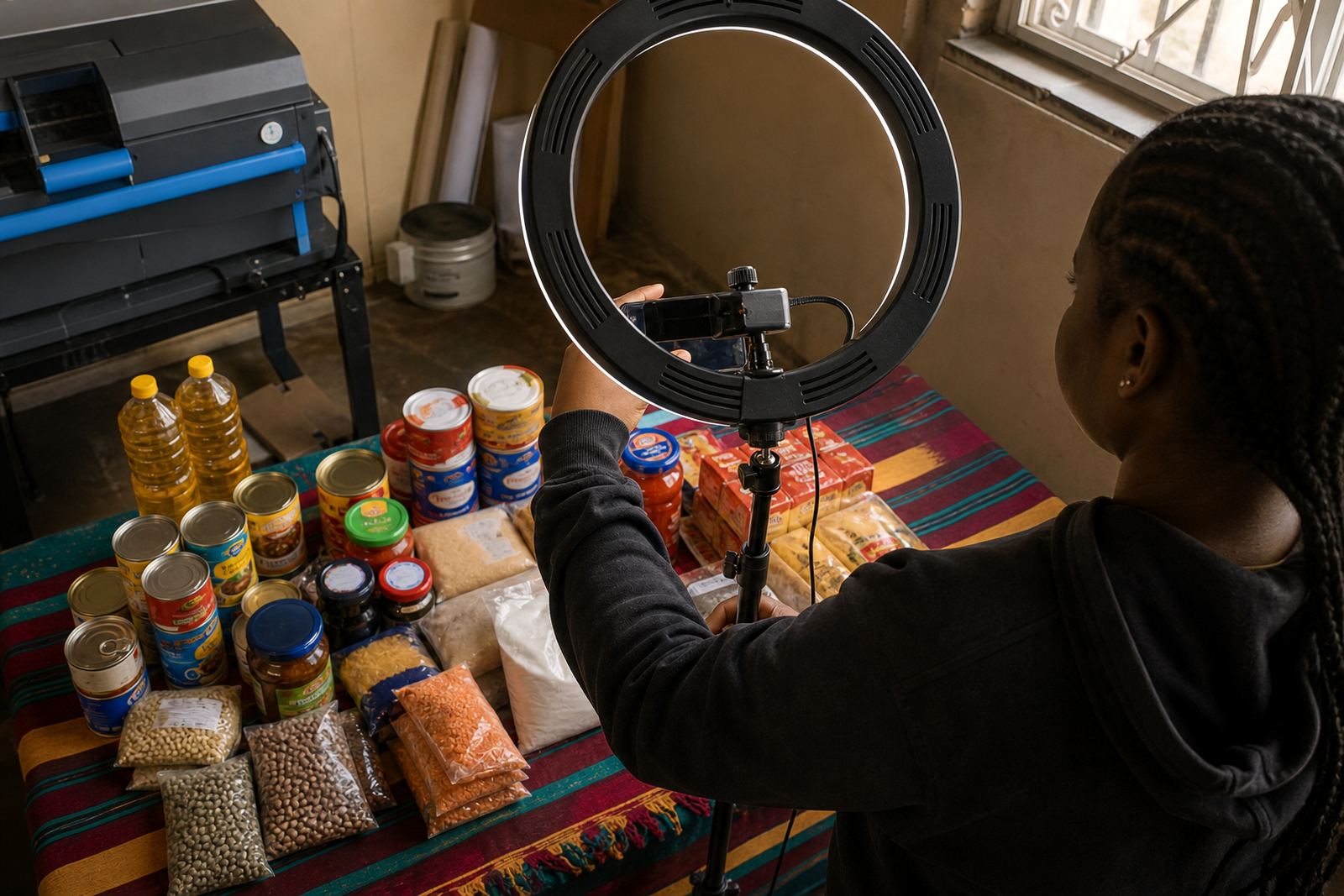
A useful catalogue depends on good product photos and clear prices. Photos should show the item front on, with enough light to see colour and shape. If you sell clothing, lay the item flat or use a plain hanging setup. If you sell packaged goods, keep labels straight and readable. For food or prepared goods, clean close up photos help customers see portion size and finish. Ayanda Kotze’s content and photos coaching is useful here because a photo that shows the real item well can reduce confusion later on.
Pricing pages and product cards should stay consistent across the store. If you offer unit prices, bundle prices or special pricing for larger packs, set it out in the same format each time. WhatsApp order setup can sit beside the catalogue so customers can tap through with the product name ready. Payment info can also be shown plainly, along with delivery details for local drop offs, courier collection points or customer arranged pickup where that is part of your trading method.
- Photo guidance for plain backgrounds, neat framing and legible labels
- Pricing pages that show unit price and pack price clearly
- WhatsApp order links for direct enquiries from the catalogue
- Delivery page setup for local delivery, collection or courier handover
What to confirm before the catalogue goes live
Before a catalogue is published, the main details need to be checked item by item. Make sure the product name matches the stock you actually sell, the price is current, the photo matches the exact colour or pack shown, and the size or quantity is correct. If the item has options such as shade, size, flavour or pack count, those options should be written in a way that buyers understand quickly. This is especially important when you are selling across Johannesburg, Pretoria, Durban, Cape Town or Gqeberha where delivery can add extra steps to the order.
It also helps to check whether certain items need extra handling instructions. Some products are fragile, some are perishable and some are better collected on a specific day. If an item has payment conditions, order cut off times or stock limits, those details should be clear on the page. For tax or business registration questions, check with SARS or a qualified adviser so your store wording and records stay in line with the right guidance.
- Exact product name and current price
- Correct size, quantity, colour, flavour or pack count
- Photo matches the item customers will receive
- Delivery note, collection note or special handling instruction if needed
Setup support for traders and small teams
SellThat can help shape a catalogue that suits the way informal traders actually work. That includes Store Setup, Product Upload Help, Photo Guidance, Pricing Page Help, WhatsApp Order Setup, Payment Info Setup, Delivery Page Setup, Home Page Refresh, Store Content Writing, Catalogue Rebuild, Staff Training and Ongoing Support. The team in Soweto, Johannesburg works with traders from Soweto Traders, Johannesburg Traders, Durban Traders, Cape Town Traders, Pretoria Traders, Gqeberha Traders, Alexandra Traders and Tembisa Traders.
Thabo Lourens leads the business, with support from Lerato Moonsamy, Sibusiso Zondo, Ayanda Kotze, Karabo Molefe, Zanele Chetty and Mpho Maseko. If you need a catalogue that is easy to scan on a phone and simple to manage behind the scenes, the wording, structure and product order can be shaped around your stock type and customer flow. That keeps the store practical for real trading, whether you sell a few focused lines or a wide mixed catalogue.
- Product upload and catalogue rebuild help for growing lists
- Training for staff who need to add or edit items
- Support for WhatsApp orders, payments and delivery info
- Content writing for clear product labels and descriptions
Key facts
| Layout | Mobile-friendly product grid |
|---|---|
| Best for | Spaza shops, home businesses and informal traders |
| Common fields | Name, price, photo, size, colour, quantity, variant |
| Order paths | WhatsApp orders, payment info and delivery notes |
| Display style | Clean cards with short product details |
| Support areas | Soweto, Johannesburg, Durban, Cape Town, Pretoria, Gqeberha, Alexandra, Tembisa |