A busy Umlazi kitchen needed faster ordering
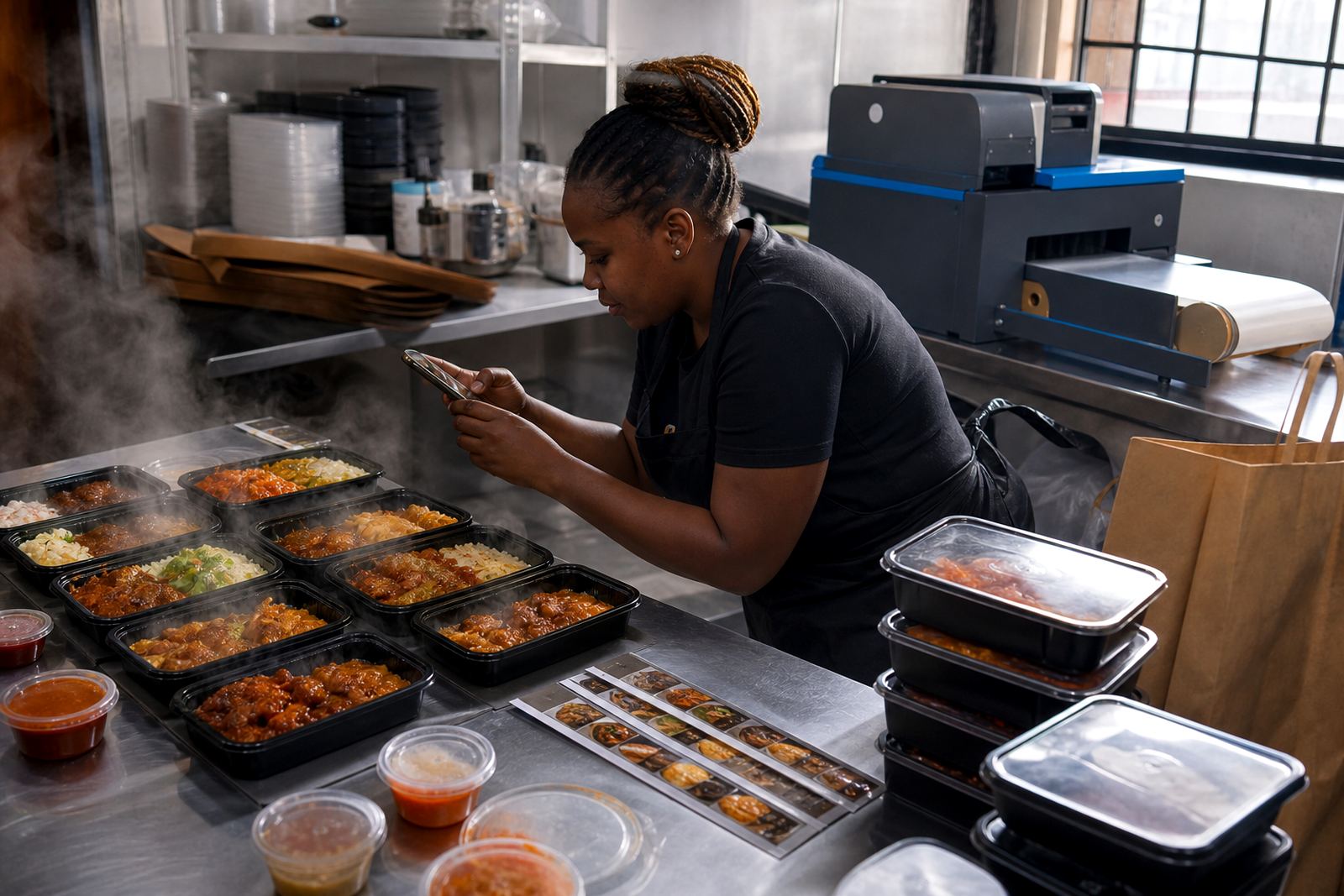
The client ran a takeaway kitchen in Umlazi with a steady stream of walk-in customers and phone orders, but the menu was not easy to read on a small screen. Specials changed often, meal choices were long and people asked the same things about prices, portions and collection. The brief was to set up a clean online store that worked well on a phone and helped customers place orders without fuss.
We kept the structure plain and practical. The homepage needed a quick menu view, clear buttons for WhatsApp ordering and space for daily specials. The client also wanted room for delivery notes, collection details and payment information, without making the pages feel crowded. For a takeaway business in a township setting, speed matters, and the store had to load cleanly on basic mobile data.
- Client type: takeaway kitchen and food seller
- Town: Umlazi, Durban
- Goal: make ordering quicker from mobile phones
- Main buying route: WhatsApp message and simple checkout flow
Menu pages that buyers could scan in a few seconds
The biggest task was turning a long takeaway menu into pages people could read without scrolling past too much clutter. We grouped meals by section and added short descriptions for each item, so customers could see what was included before they ordered. Product photos had to do real work here, because many buyers decide quickly when they can see the plate, portion size and packaging.
We guided the client on photo selection and arranged the pages around the items that sold most often. The layout used plain headings, visible prices and enough spacing between products to keep things readable on a phone. Where the client had combo meals, we set them out with clear inclusions, which reduced back-and-forth messages. A few spelling tidy-ups were also done on the menu text, since the store needed to feel trustworthy and easy to use.
- Photo-led menu pages for main meals, snacks and specials
- Clear pricing beside each product
- Short item descriptions for portions and inclusions
- Simple mobile layout for small screens
WhatsApp ordering made the buying step quicker
For this project, WhatsApp ordering was the practical centre of the store. Many customers already used WhatsApp to ask what was available, so we linked the menu items to quick order prompts and set up message wording that asked for the right details. That included meal choice, quantity, collection or delivery preference and the area the customer was in.
We also helped the client organise the ordering flow so it did not depend on long explanations from staff. The store page pointed buyers to the correct contact step, while the product pages carried enough detail to cut down on repeat questions. This mattered during lunch-time rushes, when a kitchen can not spend extra minutes typing the same answers again. The result was a more orderly process that fit the way informal trade works in South Africa.
- WhatsApp order prompts linked to menu items
- Order details collected upfront
- Less repeated messaging during busy periods
- Easy to use for regular and first-time buyers
Payments, collection and delivery details kept plain
Takeaway buyers want to know how they can pay, where they collect and whether delivery is available. We added a payment information page with the accepted methods listed clearly, without overcomplicating the wording. The delivery section explained which areas were covered and how customers should place orders for local drop-offs. Collection details were placed where people could see them before they placed an order, which helps avoid confusion at the counter.
Because food businesses need accurate information, we checked that the pages matched the client’s actual trading routine. The wording stayed generic and practical, with no promises that would cause problems later. We also reminded the client to check any tax or payment-related questions with SARS or a qualified adviser where needed. For a small kitchen in Umlazi, it is better to keep payment and delivery notes direct and easy to update.
- Payment info page with clear method notes
- Collection details for walk-in and pick-up buyers
- Delivery notes for local areas
- Plain wording that is easy to change when trading conditions shift
What we supplied over the four week build
The project moved through a four week setup period. In week one we gathered the menu structure, product groupings and the client’s preferred order flow. In week two we shaped the store pages, uploaded the main items and refined the photo guidance. Week three was used for pricing pages, WhatsApp prompts and delivery notes. In week four we tested the pages on phones, adjusted the text and trained the client on basic changes.
The final store was built to be simple enough for daily use but clear enough for customers who had never ordered from the business before. The client could update specials, change prices and swap photos without needing a complicated process. That matters for a takeaway kitchen because the menu changes with stock, supplier availability and busy periods. The setup also made it easier for staff to follow the same process every day.
- Week 1: menu planning and content gathering
- Week 2: page build and photo guidance
- Week 3: pricing, WhatsApp and delivery setup
- Week 4: testing, adjustments and staff training
Practical results for a food seller in Umlazi
Once the store was in use, the client had a cleaner way to show the menu and direct people to the right order step. The main result was less confusion around prices and fewer repeated questions about what came with each meal. Customers could move from browsing to ordering faster, and the kitchen had a better way to handle enquiries during rush periods.
For a takeaway business, that kind of structure helps the day run more smoothly. It also gives the client a clearer way to present specials, update photos and share delivery information without redoing the entire store. The pages were kept light and practical, so they worked for local buyers in Umlazi and for customers in nearby areas who needed a quick view before placing an order.
If we were doing this type of project again, we would keep the same approach: short menu descriptions, strong product photos, visible prices and a WhatsApp path that stays obvious on every key page. That mix suits informal traders and food sellers who need a setup that is easy to manage while the business keeps moving.
- Clearer menu presentation
- Less back-and-forth on prices and meal details
- Faster ordering through WhatsApp
- Better day-to-day control for the kitchen team
What SellThat handled on the project
SellThat handled the store structure, product upload help, photo guidance, pricing page help, WhatsApp order setup, payment info setup, delivery page setup, home page refresh, store content writing and staff training. The work was supported from Soweto, Johannesburg, with assistance from the client success, setup, content, training and technical support team. The approach stayed focused on the way South African informal traders actually sell: plain language, mobile use, quick updates and clear order steps.
This project also reflects the kind of support we give to traders in Johannesburg, Durban, Cape Town, Pretoria and Gqeberha. For food sellers, the store has to feel straightforward from the first visit. When the menu is easy to read and the ordering path is obvious, customers are more likely to complete the order and less likely to get stuck half way through.
Key facts
| Project type | Takeaway online store setup |
|---|---|
| Town | Umlazi, Durban |
| Core tools | Photo-led menu pages, WhatsApp ordering, pricing pages |
| Payments | Payment info page with clear accepted methods |
| Delivery | Local delivery notes and collection details |
| Timeline | 4 weeks |