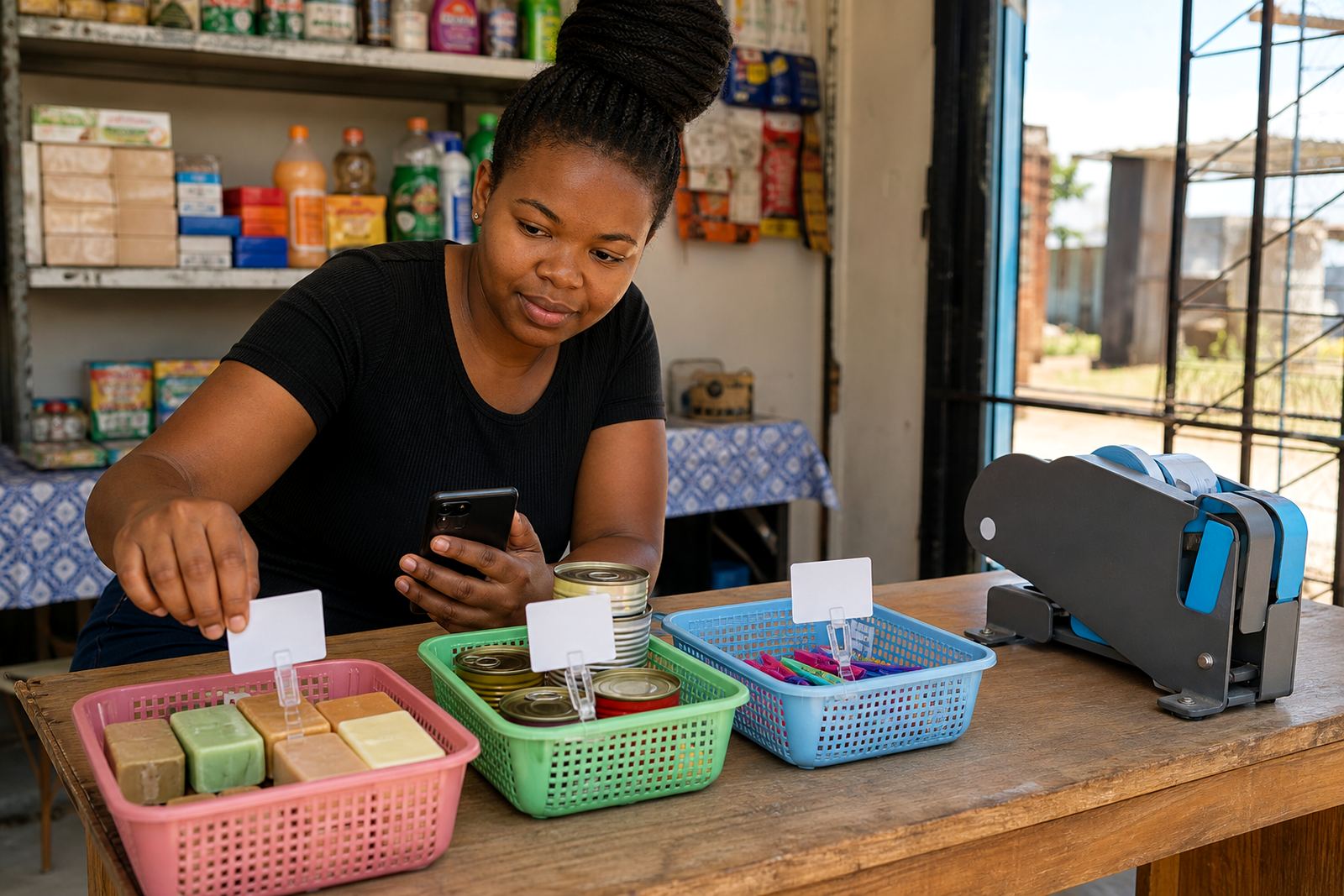
Clear stock labels on every product page
Stock Status is a product control for your online store that lets you mark items as available, limited or out of stock. It is useful for informal traders, spaza shops and home businesses that update items often, especially when stock moves quickly between Soweto, Johannesburg, Durban, Cape Town, Pretoria and Gqeberha.
You can set a status for each item in your catalogue so customers do not assume something is ready when it is finished. For stores selling airtime accessories, homeware, snacks, beauty items, clothes or packing goods, this keeps the product page honest and easier to manage.
- Available for items you can supply now
- Limited for low stock lines or slow restocks
- Out of stock for items not ready for sale
How the status display works for shoppers
Each status shows in a simple way on the product page, catalogue view and pricing page if you use one. The label gives the shopper a quick view before they tap WhatsApp, add to cart or choose delivery. That helps when a trader is juggling fast-moving stock and does not want calls or messages for items that are already finished.
For Durban and Gqeberha traders, where humidity can affect packaging and certain goods, it also helps keep fast sellers moving in the right order. In Johannesburg and Pretoria, where store ranges can change through the week, it helps you reflect what is on hand without retyping the full listing.
- Label appears beside the product name or price
- Status can be changed item by item
- Works well for single items and bulk catalogue entries
Sizes and options for different store ranges
Stock Status is not one size only in practice. You can use it across a small shop with 20 products or a larger catalogue with many lines and colour options. It suits single units, packs, mixed bundles and products with variants such as size, colour, flavour or pack count.
If you sell clothing, you can mark a black medium as available while the large size is limited. If you sell groceries or household goods, you can keep one pack size open and mark the family pack as out of stock until the next delivery arrives. That kind of detail helps customers choose the right option first time.
- Single product listings
- Variant listings with size, colour or pack choice
- Bundle listings and mixed cases
- Small catalogue stores and growing ranges
Where it suits best in daily trading
This feature suits informal traders who sell from a stall, home base, delivery route or small shopfront. It is handy for spaza shops with fast turn items, township traders who restock through the week, and home businesses that fulfil orders from stock kept in a cupboard, spare room or storage shelf.
It also helps when stock is shared across channels. A product may be sold on WhatsApp, in person and through the online store, so the status needs to reflect what is still available. If you run collection points in Soweto or Alexandra, or deliver across Tembisa, Cape Town or Gqeberha, the label helps reduce confusion when items move quickly.
- Street traders with changing daily stock
- Home businesses managing small batches
- Shops selling across WhatsApp and online
- Catalogue-based sellers with many moving lines
Fitting and setup details to confirm
Stock Status is set inside your product entries, so the main detail to confirm is how you want each item to appear. If a product has variants, decide whether each size or colour needs its own label or whether the main product should carry the same status across all options. That keeps the store neat and avoids mixed messages on busy catalogues.
When sending product details, it helps to confirm the exact item name, variant count, pack size, unit measure and whether the stock position changes by colour or flavour. If you use delivery areas or collection notes, include those too, especially where certain stock is only offered in selected parts of Johannesburg or Pretoria.
- Exact product name and variant options
- Which items are available now and which are limited
- Pack sizes, units or quantity per case
- Any local collection or delivery notes
Care, updates and daily use
Stock labels work best when they are checked often. A trader who sells fast moving goods can update a line before the next order wave, while slower sellers may only need changes when a delivery lands or a batch is cleared. Keep the wording consistent so shoppers learn what each label means.
If you upload product photos, make sure the image matches the current stock. A neat photo, correct price and the right status save time for both sides. For items that are seasonal or weather-sensitive, such as packaged food in hot conditions or goods stored near coastal air, it is worth reviewing the listing after each stock movement so the page stays accurate.
- Review labels when stock is received or sold out
- Match the photo to the current item and pack
- Check prices and variant names at the same time
- Keep wording steady across the whole store
What to confirm before the listing goes live
Before a product is marked available, limited or out of stock, confirm the number of units on hand, the variant name, the pack count and whether the item can be ordered through WhatsApp or paid for online. If delivery is part of the order flow, decide which areas you cover and whether the item is collection only in certain cases.
It also helps to confirm if the stock status should show on the home page feature spots, in category pages or only on the individual product page. Traders often use the same item in more than one place, so the status must stay consistent. For tax or business registration matters, check with SARS or a qualified adviser if you need guidance specific to your operation.
- Units on hand and expected replenishment
- Variant names, sizes and pack counts
- WhatsApp order flow and payment method details
- Delivery areas or collection rules
Key facts
| Product type | Store catalogue stock label control |
|---|---|
| Status options | Available, limited, out of stock |
| Best for | Informal traders, spaza shops, home businesses |
| Catalogue fit | Single items, variants, bundles and mixed packs |
| Store use | Product pages, category listings and pricing pages |
| Update method | Set per product and adjust as stock changes |