A small box that catches the first question
The Customer Enquiry Box is a website section that sits on a product page, home page or contact page and gives shoppers a clear place to ask before they buy. It is useful when customers want to check size, colour, availability, delivery areas or how to place a WhatsApp order, especially when they are browsing on a phone in a taxi rank, at home in Soweto or during a quick break at work.
For traders selling clothing, household goods, pantry items, toiletries or mixed catalogue items, this box helps reduce missed sales. Instead of a shopper leaving the site to search for a number or trying to guess the next step, they can send a short message with the product name, variant and location. It suits small stores that want customers to confirm details before payment, or to ask whether same-day collection, local delivery or courier delivery is available in their area.
The box is normally placed near the price or just below the product description so it is easy to see on a small screen. It can also be added to a pricing page or delivery page, where shoppers often have questions about order totals, delivery zones and payment methods. For traders handling orders from Johannesburg, Durban, Cape Town, Pretoria and Gqeberha, this keeps questions organised and easier to track.
Sizing and layout choices that fit a busy shop page
The enquiry box can be set up in a compact version or a wider version, depending on how much space the page has. A compact box works well on a product page with a short description, while a wider layout suits a home page section or a full contact area where more than one question may be sent at once. On mobile, the shorter version is usually easier for customers who are typing with one hand.
- Compact layout for product pages with limited space
- Wide layout for contact pages, service pages or catalogue pages
- Single-field quick enquiry for fast questions
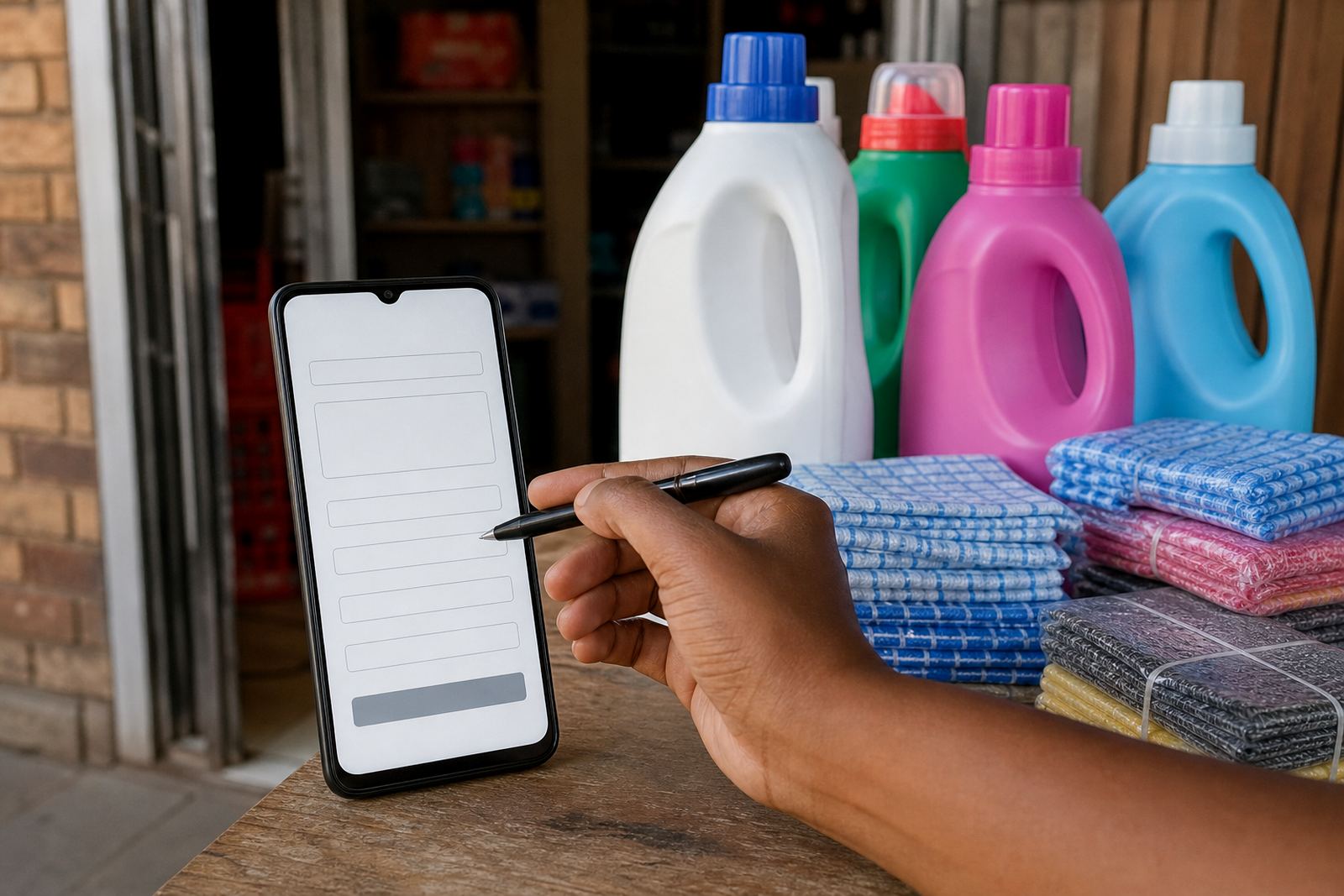
- Multi-field enquiry for name, item, location and preferred contact method
- WhatsApp button style for shoppers who prefer chat over typing a long message
- Form style for stores that want clearer written details before responding
Common options include a subject line, name field, mobile number field and message box. Some stores add a dropdown for product category, for example food items, general household, clothing or mixed stock. Others add a delivery area field so the shopper can mention places like Alexandra, Tembisa, Soweto, Durban or Cape Town. The layout should stay plain and readable, with enough room for short notes but not so many fields that people abandon the page.
Where it suits inside a trader’s store
This feature is useful for traders who sell online but still deal with many customer questions before an order is placed. It suits spaza shops listing household basics, home businesses selling baked goods or gift items, and informal traders with changing stock where questions about availability are common. It also suits catalogues with many products and different pricing for sizes, pack counts or bundle options.
The enquiry box works well on pages where customers need help making a choice. A shopper might want to ask whether a jacket comes in a larger size, whether a cleaning product is sold as a single unit or in a pack, or whether delivery can be arranged to a nearby township. It also helps where a trader offers payment details separately, because the customer can ask how to place an order by WhatsApp, which payment methods are listed, and how delivery is handled after payment is confirmed.
For local South African stores, the box can be adapted to match the way customers actually shop. Many people still want to ask first, then order after checking the cost and delivery option. That works well for traders in Soweto and surrounding areas where customers often buy while moving between work, home and public transport.
Setup notes for a clean result on phone and computer
Fitting the enquiry box into an online store usually means placing it where the customer expects help, not hiding it deep in the page. It can be added beside the product price, under the stock note, or near the WhatsApp order button. If the store has a long catalogue, the enquiry box can appear on every product page with the same wording, so the shopper does not need to learn a new process each time.
When setting it up, the trader should confirm the wording of the prompt, the contact method shown to the customer and whether the messages go to a general store inbox or a specific support person. If the box connects to WhatsApp, the text should tell the shopper what to include, such as product name, quantity, delivery area and whether they want collection or delivery. If the store uses a contact form, the form should be short enough for mobile users and clear enough for staff to sort questions without confusion.
- Keep the wording short and direct
- Show the enquiry box near the buy button or price
- Use a mobile-friendly layout with large tap areas
- Ask for the key details only: item, quantity, area and contact method
- Match the box wording to the store’s payment and delivery pages
Where a store serves several areas, the enquiry box can include location cues such as Johannesburg, Pretoria, Durban, Cape Town or Gqeberha, so the customer is encouraged to share their suburb or township. That makes it easier to give the right delivery information and avoid back-and-forth messages later on.
Keeping the wording fresh and the replies organised
The enquiry box itself needs very little care, but the text around it should stay current. If pricing changes, stock varies or delivery areas shift, update the page copy so customers do not send questions based on old information. A short line about price checks, order notes or delivery coverage can save time, especially where the store sells fast-moving items and the catalogue changes often.
It helps to review the box after busy trading periods. If customers ask the same thing often, the page probably needs a clearer note. For example, if many shoppers ask about payment, add a short payment line beside the enquiry box. If they ask about drop-off points, add a delivery note. This is practical for shops with mixed stock or township delivery routes where details can change from area to area.
When you add the enquiry box to a live store, keep the styling consistent with the rest of the site. Use the same colours, button style and font size as the other sections, so the box feels part of the store rather than a separate item stuck on top. A neat layout helps customers trust the page and keeps the enquiry area easy to spot on any screen size.
Details to confirm before the box goes live
Before adding the Customer Enquiry Box to a store, confirm the exact fields and message route. The trader should decide whether the box is for quick questions only or whether it should also collect order details. It also helps to confirm whether the box should link to WhatsApp, display a response note or sit alongside a payment page and delivery page.
- Store name and the page where the box should appear
- Preferred contact method for enquiries
- Fields to include: name, mobile number, product, quantity and area
- Whether the message should mention WhatsApp orders, payments or delivery options
- Any suburb, township or city names to include for local delivery checks
- The short text that explains what the customer should send
For traders in Soweto, Alexandra, Tembisa and other busy areas, the wording should match the way customers actually shop on a phone. A clear enquiry box gives them an easy next step without forcing them to scroll around the site. If the store also offers home page refresh, product upload help or catalogue rebuild work, the enquiry box can be written to support those pages too, so the whole store feels consistent and practical.
Typical fit for local stores and service pages
The Customer Enquiry Box suits small South African stores that need a simple way to open the door for questions. It works well for traders who list prices online, handle WhatsApp orders and send delivery notes by area. It also fits service pages where the shopper wants to ask about what is included before placing an order, or where the product range changes often and a quick question is better than a long form.
For a trade business working with informal traders, the box can support a cleaner ordering flow without making the page feel crowded. It gives customers a place to ask about product size, stock, delivery address or payment information, while keeping the store page neat. That is useful in places where shoppers compare options quickly and want the answer before they commit.
Check with SARS or a qualified adviser on tax or compliance matters tied to your sales process, payment wording or delivery records. The enquiry box can support your store operations, but the details around business compliance should be handled properly from the start.
Key facts
| Product type | Website enquiry feature for online stores |
|---|---|
| Best use | Quick pre-order questions, WhatsApp prompts and delivery checks |
| Layout options | Compact, wide, single-field or multi-field |
| Common fields | Name, mobile number, product, quantity, area, message |
| Placement | Product pages, pricing pages, delivery pages and contact pages |
| Device fit | Mobile-friendly for South African shoppers on phones |