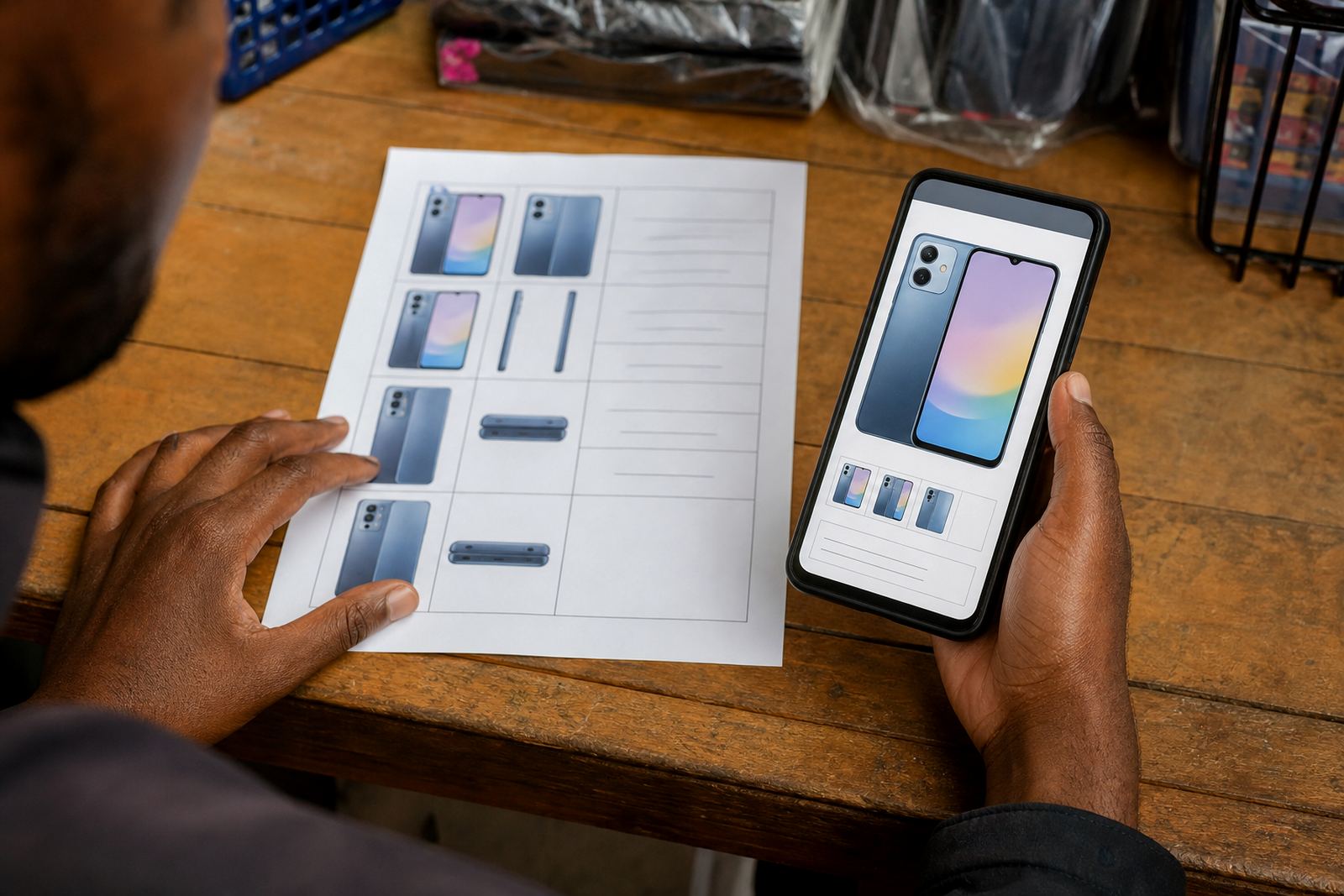
Pick the format that fits your stock pattern
If you sell a tight range of goods, a price list can do the job neatly. Think of a spaza shop with a few fast-moving items, a home baker with set boxes, or a trader selling basic household goods. A clear list lets people scan the prices quickly and place an order without wading through too many pages.
Product pages suit stores with different sizes, colours, flavours or add-ons. A clothing seller in Soweto may need one page per item because each shirt has a size run, while a beauty trader in Durban may want a page for each cream, brush set or hair product. The more detail a customer needs before buying, the more useful individual pages become.
- Use a price list when your range is small and prices change often.
- Use product pages when each item needs its own photo, description or size option.
- Mix both if you have a few core lines and a few detailed products.
What a strong price list should show at a glance
A good price list is more than a pile of numbers. It should help customers find the item, understand the pack size and know what they are paying for before they send a WhatsApp message or place an order. Keep the layout plain and readable on a phone screen, because many shoppers will browse on mobile data.
For informal traders, clarity matters more than fancy wording. A list that says 750 ml dishwashing liquid, 1 litre cooking oil, or kids t-shirt size 4 to 10 is easier to use than a vague catalogue. Add only the details that help the buyer choose. If an item comes in two colours or three pack sizes, show that next to the price instead of hiding it in the body text.
- Product name
- Size, quantity or pack count
- Price in Rand
- Colour, flavour or variant where relevant
- Delivery area or collection note if needed
When individual product pages earn their place
Individual pages make sense when customers need more confidence before they buy. A page can hold a clear photo, a short description, the price, stock notes and the ordering method. This is useful for products where people ask a lot of questions, such as school shoes, wigs, chargers, cookware or gift items.
In Johannesburg and Pretoria, many buyers compare online before they travel, so a proper product page can cut down on back-and-forth messages. It also helps when you want to group items into collections, like summer wear, baby goods or cleaning supplies. Each page gives space for the details that turn interest into an order.
- Use one page per product if the item has sizes, colours or variations.
- Add one clear image first, then supporting images from different angles.
- Keep the product title plain and searchable.
- Place the price close to the order button or WhatsApp link.
Photos that make prices easier to trust
Shoppers often judge a store by the photos before they even read the price. A dark picture, a blurry label or a cluttered background can make a good product look doubtful. Even a basic phone camera can do the work if you use daylight, a steady hand and a clean background. Near the coast in Gqeberha or Cape Town, it helps to watch for glare from bright sun and to keep packaging dry so labels stay readable.
Take the picture where the item looks honest and complete. For food, homeware and packaged goods, show the front of the item clearly. For clothing, show the fit, front and back if possible. If you are selling a bundle, say what is included so customers do not guess. A price list with good photos feels far more usable than one with only text.
- Use one main image per item or a clean shot for the price list.
- Show scale with a hand, ruler or familiar object where needed.
- Keep the background plain and tidy.
- Retake anything that looks dim, cropped or crooked.
WhatsApp orders, payment notes and delivery choices
Many South African traders use the store page as the display shelf, then move the order into WhatsApp for the final check. That works well for informal trading because customers can ask about stock, colour, collection points or delivery areas before paying. Keep the instructions short and direct so people know exactly what to do next.
If you accept multiple payment methods, show them clearly and avoid clutter. The customer should see what happens after they place an order, whether they pay first, pay on collection or choose another agreed method. If you offer local delivery, name the areas served and be specific about any limits. A trader in Soweto who delivers to Alexandra, Tembisa or central Johannesburg needs that information visible on the page, not buried in a message thread.
- Add a WhatsApp order button or clear message prompt.
- Show accepted payment methods plainly.
- State delivery areas and collection options.
- Use short order steps: choose item, confirm quantity, send message, pay or collect.
A Soweto example: one trader, two formats
Picture a home business in Soweto selling snacks, toiletries and a few basic household items. The fast movers can sit on a simple price list because customers already know what they want. A separate product page can be used for higher-value items, gift packs or products that need extra explanation. That split keeps the store tidy and avoids putting too much effort into items that do not need it.
The same approach works for a spaza shop serving nearby streets and a trader who also takes orders by WhatsApp. Put the everyday items on the list, then build pages for items that need photos, size options or more detail. This is often easier to manage than forcing everything into one format. It also gives you room to grow without starting from scratch.
- Price list for repeat purchases and quick orders.
- Product pages for items with variants or higher customer questions.
- Use the same wording for prices, delivery and payment across both formats.
Keep the page easy to update as stock changes
Informal trading changes quickly. New stock arrives, old stock moves out, and prices may shift with suppliers or transport costs. Build the store in a way that lets you adjust one item without disturbing the rest. If you use a price list, keep the categories neat so you can add or remove items fast. If you use product pages, group them properly and keep the wording short enough for easy editing.
It also helps to review the store from a customer’s side. Check whether the prices are visible, whether the photo matches the item and whether the order method still makes sense. If customers ask the same question often, that usually means the page needs a clearer line rather than more text. For pricing changes, it is wise to check with SARS or a qualified adviser where tax matters are involved.
- Update sold-out items quickly.
- Keep names and prices consistent across the store.
- Remove old photos that no longer match stock.
- Review order steps after every major stock change.